

Features & Improvements
- Generated images and audio render inline in traces — when a span’s output is generated media, the trace’s Input / Output tab now shows the image or an audio player directly, instead of a wall of raw base64. Media is detected from the
{ mimeType, base64 }shape (the AI SDK’smediaTypekey is also recognized). See Generated media. - Oversized span fields are no longer truncated — large outputs, inputs, tool calls, and base64 media are stored in object storage at ingest and fetched on demand when you open a span, so a big generation is preserved in full (previously it was clipped to fit the ingestion limit) while the trace list and timeline stay fast.
- Tracing your own image generation — the AI SDK’s
experimental_generateImageemits no telemetry of its own; the new Tracing image generation guide shows how to capture generated media on a span from your application code.
Features & Improvements
- Custom metadata is now readable via the API —
GET /v1/traces/{traceId}returns a trace-levelmetadataobject plus per-spanmetadata;GET /v1/traces/{traceId}/spans/{spanId}andGET /v1/spansreturn spanmetadataalongside the I/O. Whatever you attach at ingestion (OTLPagentmark.metadata.*attributes or the SDKmetadataoption) is now retrievable programmatically and through theagentmark-mcptrace tools. Reserved internal namespaces (for example,graph.node.*) are excluded from the public object. - Filter by
metadata.*over the API — thefilterparameter onGET /v1/tracesandGET /v1/spansnow honorsmetadata.<key>predicates withexists,does not exist,=, and the string operators. See the filter grammar. - String filter grammar —
filteris now a readable expression, for examplefilter=metadata.env = "prod" and status = ERROR. A malformed or unsupported filter returns a400with a clear message instead of being silently ignored.
Breaking Changes
- The
filterparameter no longer accepts the previous JSON-array form; use the string grammar.
Features & Improvements
- Local/cloud API parity — The local dev server now supports the same API endpoints as the cloud gateway, so you can develop and test API integrations without a cloud account
- New API endpoints for datasets, experiments, prompt logs, and runs — query evaluation data programmatically via REST API or
agentmark apiCLI - New
capabilitiesendpoint to check which features a server supports, useful when writing code that targets both local and cloud environments - The
agentmark apiCLI command now supportsdatasets,experiments,prompts,runs, andcapabilitiesresources
Features & Improvements
- New API Reference tab with full REST API documentation for the AgentMark Gateway
- Interactive endpoint docs for traces, scoring, templates, and health checks generated from an OpenAPI 3.1 spec
- Authentication guide covering API key setup, request examples in curl, TypeScript, and Python, plus rate limit and quota details
- New
agentmark apiCLI command for querying the gateway API directly from your terminal — auto-generated from the OpenAPI spec, targets local dev server by default or cloud with--remote(both the CLI command and--remotewere retired in CLI 0.13/0.14; use theagentmark-mcpMCP server or direct REST instead) - Score analytics widgets — four new widget types for custom dashboards: summary cards, score distribution histograms, trend-over-time charts, and cross-score comparison (confusion matrix or scatter plot). Start from the Score Analytics template or add individual widgets to any dashboard.
- PII masking — redact sensitive data from traces before they leave your application. Available in both TypeScript and Python SDKs with a built-in masker for common patterns (email, phone, SSN, credit card, IP address), custom regex patterns, and zero-code environment variable suppression via
AGENTMARK_HIDE_INPUTS/AGENTMARK_HIDE_OUTPUTS. Masking runs client-side with fail-closed behavior — no unmasked data ever reaches the network.
Features & Improvements
- New Playground for comparing prompts across multiple models and configurations side-by-side
- Run up to 6 variants simultaneously with independent model, temperature, and prompt override settings
- Per-variant prompt editing with a “Modified” badge to highlight customized text
- Output metadata chips showing model name, latency, token usage, and finish reason for each variant
- One-click Apply to write the winning variant’s configuration back to the editor
- Responsive 3-column grid layout that scales from 2 to 6 variants
Features & Improvements
- Expanded
SpanKindenum from 3 to 7 values — addedagent,retrieval,embedding, andguardrailspan kinds for richer trace categorization - New
observe()function for wrapping functions with automatic input/output capture and span kind tagging (available in both TypeScript and Python SDKs) - New “Span Kind” filter in the trace list — filter traces by
function,llm,tool,agent,retrieval,embedding, orguardrail - New span kind breakdown analytics endpoint — view cost, latency, and token usage grouped by span type
- Graph view now renders
embeddingandguardrailnodes with dedicated icons and colors - Cross-platform compatibility — the SDK now sets both
agentmark.span.kindandopeninference.span.kindattributes for portability with Langfuse and Phoenix
Bug Fixes
- Embedding spans are now correctly tracked for cost analytics (previously excluded)
Features & Improvements
- Custom roles & granular permissions — create custom roles with fine-grained permission controls, prerequisite enforcement, and app-level role assignments
- Permission-aware navigation — UI elements and pages automatically show/hide based on user permissions
- Entitlement-gated permissions — permissions are automatically adjusted when billing plans change
- Trace search & saved filters — search trace inputs/outputs, filter by span attributes, and save filter presets for quick access
- Saved views with aggregate groupBy on the requests page
- Custom analytics dashboards — build personalized dashboards with configurable widgets
- Eval score chips on trace tree span nodes for at-a-glance evaluation results
- Rich hover tooltips on graph view nodes with metadata display
- Trace I/O aggregation — generation span inputs/outputs surfaced at the trace root level
- Streamlined publish UI — single-button publish flow with async confirmation dialog
- Tiered billing plans — Team plan card, tier-aware checkout, and per-tier pricing
- Tiered span limits and query-time data retention enforcement
- Tiered feature gating system for plan-based access control
- Alert commit SHA tracking — see which deployment triggered an alert
- Automated model configuration sync — new models are auto-configured from the registry
- Auto-generated editor schemas from the model registry
- XML tag passthrough — lowercase XML tags now pass through in prompt content
- Webhook secret masking for improved security
- SSO SAML attribute mapping for user display names
- Span usage notifications — improved delivery reliability
- Billing confirmation dialog before plan upgrades
- Trace tunnel —
agentmark devfor one-step local-to-platform trace forwarding
Bug Fixes
- Fixed experiments page crash when the analytics backend is unavailable
- Fixed trace view I/O tab not showing data for root traces
- Fixed trace view tooltip crash on large JSON payloads
- Fixed invite flow not persisting correctly for custom roles
- Fixed profile visibility — tenant members can now view all profiles
- Fixed MCP trace connection issues
- Fixed deployment trigger button permission gating
- Fixed score fetch errors silently failing in trace view
Features & Improvements
- Terms of Service agreement — users are now prompted to accept terms before using the platform
- Non-blocking terms update policy — users are notified of terms changes without being blocked
- Streamlined registration — skip company setup during onboarding for faster account creation
- Admin Control Panel — platform admins can manage users, roles, and organization settings
- Profile email updates — update your profile email directly from account settings
- Email sync — profile email now stays in sync when your authentication email changes
- MCP Server API endpoints — programmatic access to the platform via MCP
- Platform admin changelog notifications — send changelog updates to users via email
- Annotations improvements and reliability fixes
- Organization loading performance improvements
Bug Fixes
- Fixed OAuth registration flow
- Fixed image prompt timeout for large image generation
- Strengthened password validation with improved error messaging
- Fixed request filters not working correctly
- Fixed dashboard display issues
- Fixed git sync and user invite flows
- Fixed dataset run execution
- Fixed GitLab commit history display
- Fixed template frontmatter handling
Features & Improvements
- Multi-tenant membership — users can now belong to multiple organizations and switch between them
- GitLab integration — connect GitLab repositories alongside GitHub for prompt management Read Docs
- Tracing revamp — improved observability UI with better data presentation Read Docs
Bug Fixes
- Fixed trace span selection unexpectedly jumping to top span
- Fixed edit prompt processing for ‘done’ message type
- Fixed annotations not appearing after being added
Features & Improvements
- Annotations — add notes and labels to trace scores for better evaluation tracking
- Interactive trace graph — visualize trace execution flow with resizable panels
- MCP integration documentation — guides and examples for using AgentMark as an MCP server
Bug Fixes
- Fixed aspect ratio issue that could break the app layout
- Fixed GitHub username not being saved on first OAuth login
- Fixed webhook delivery reliability
Features & Improvements
- Evaluation support — evaluate prompts and dataset outputs with scoring
- Eval-based alerts — get notified when evaluations detect issues
- Dataset V2 — improved dataset management with file loading support
- Enhanced dataset metrics and evaluation charts for better insights
- Automated pricing updates — model pricing stays current automatically
- Build failure notifications — project owners are notified when builds fail
- Improved permission checks for server actions
Bug Fixes
- Fixed OAuth registration login and redirect issues
- Fixed incorrect trace count when using filters
- Improved database error messages with readable descriptions
Features & Improvements
- AgentMark init
- Updated examples in CLI init
- Rebrand Puzzlet -> AgentMark
- CLI: “run-prompt” for dataset + single props
- Webhook Helpers
- Alerts enhancements
- Google/GitHub auth
- Dataset runs directly via prompts
- Vercel v4 webhook helper
- Streaming to the platform
- Commit History + Rollbacks
Bug Fixes
- Ollama fix on init
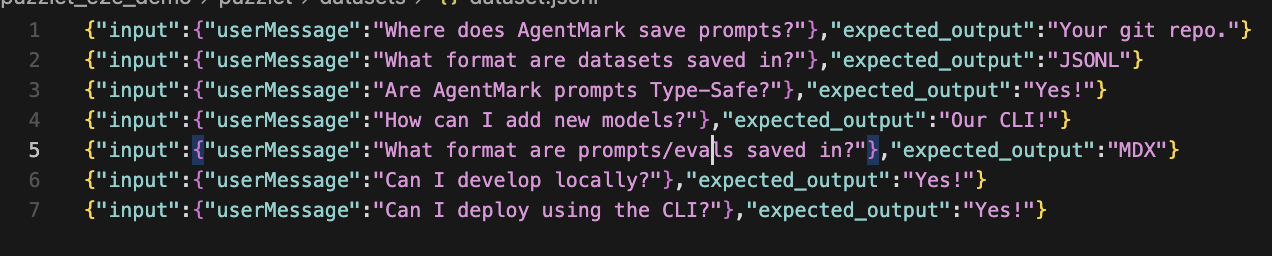
JSONL Datasets
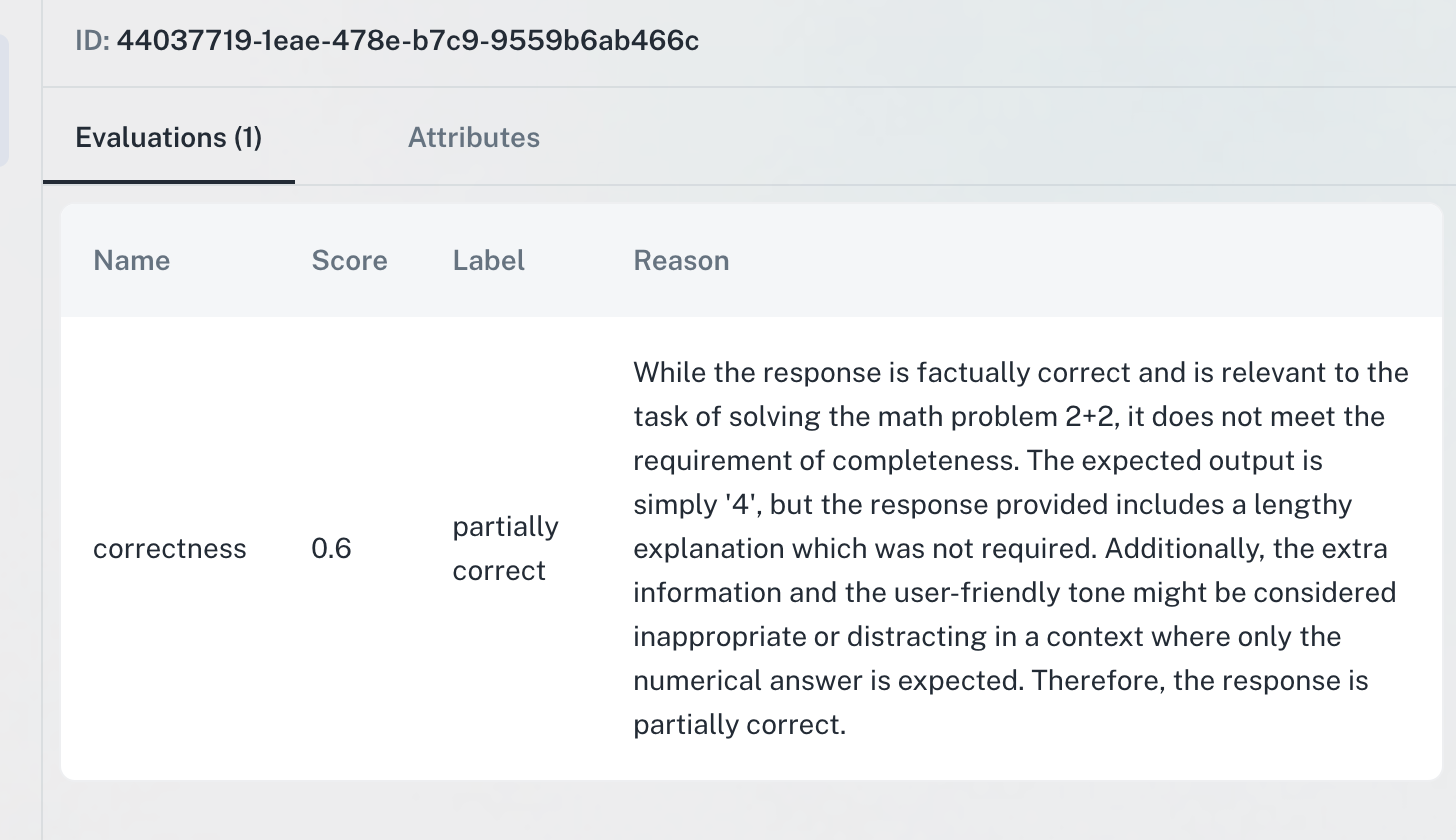
Evals & Scoring
Other
- Consolidating prompts, evals, and datasets into single “files”
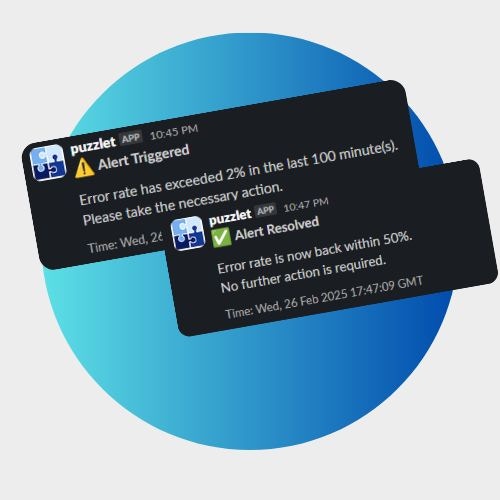
- Officially rolled out alerts
- Some CLI improvements
- Minor bug fixes
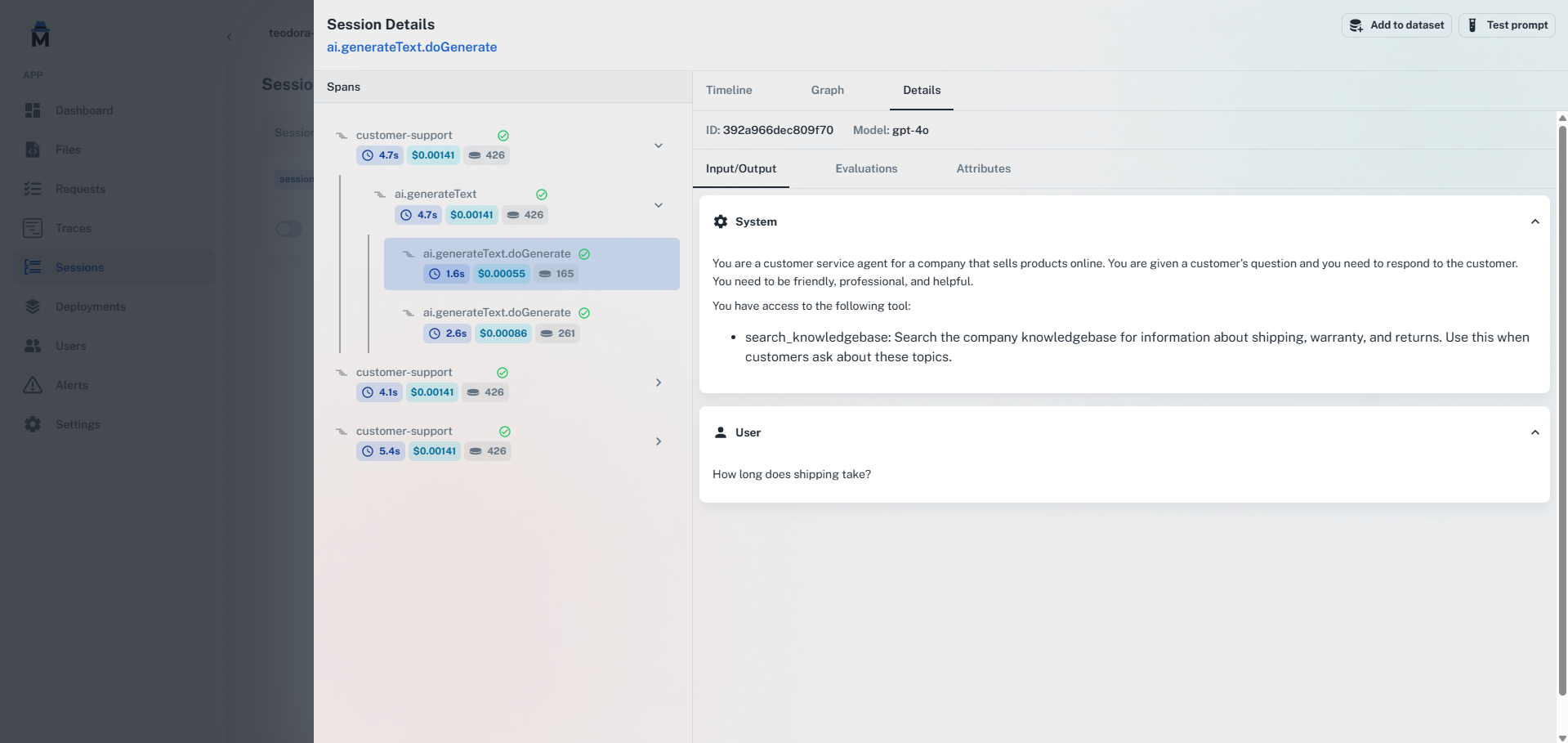
Sessions
Alerts
Traces UI Improvements
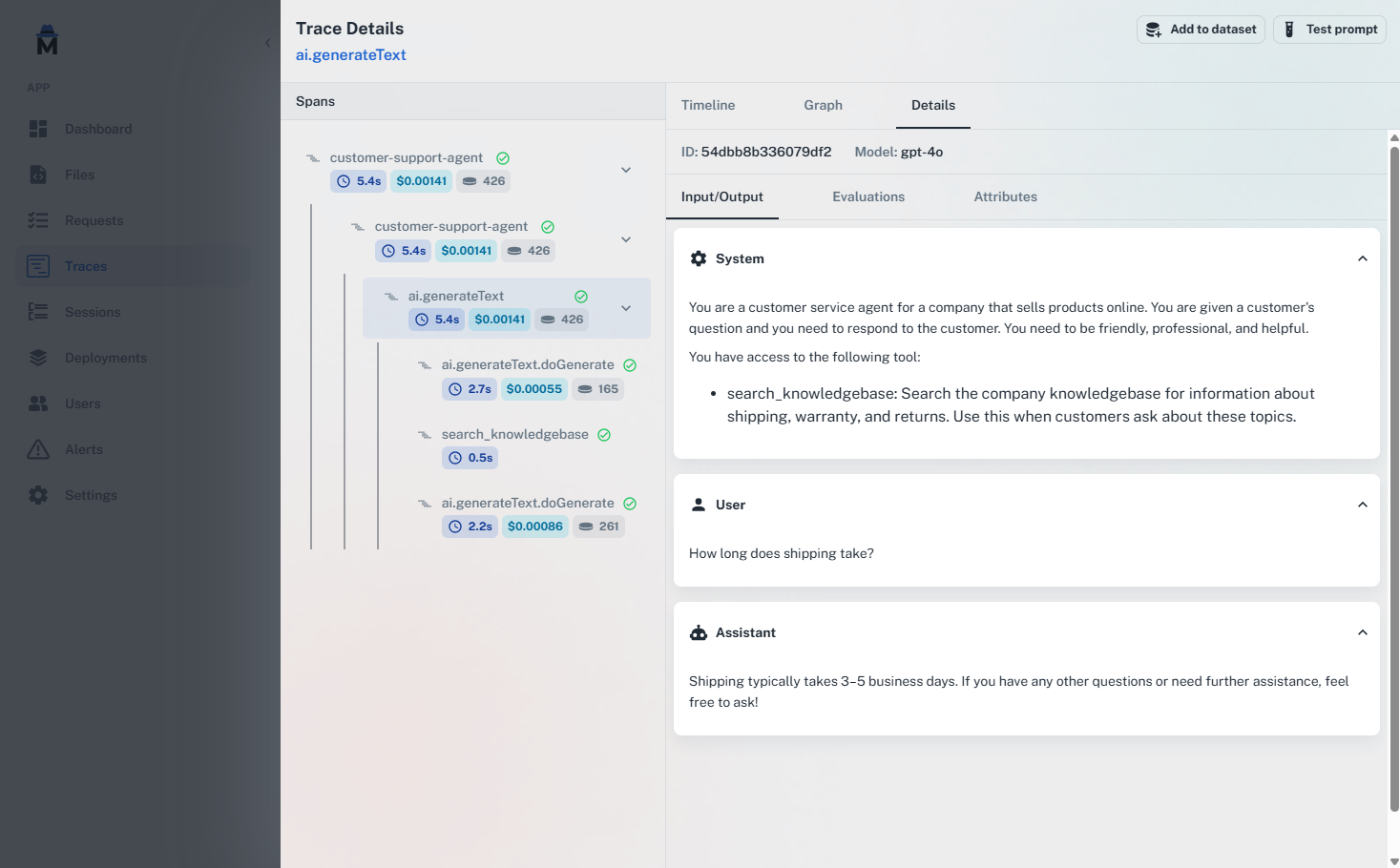
Onboarding Improvements
AgentMark improved its onboarding. Now, you can see your dashboard without having to sync your repo first. AgentMark also supports modular onboarding, so you can skip steps you don’t need.2025-02-18
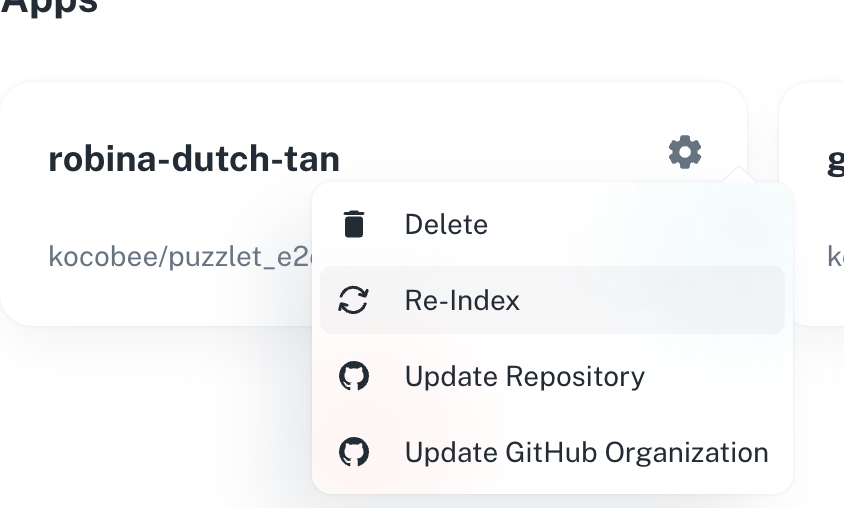
Add Trace Examples to Datasets, Load Trace in Prompt, Re-indexing, App UI Improvements, bug fixes
Adding Examples to Datasets
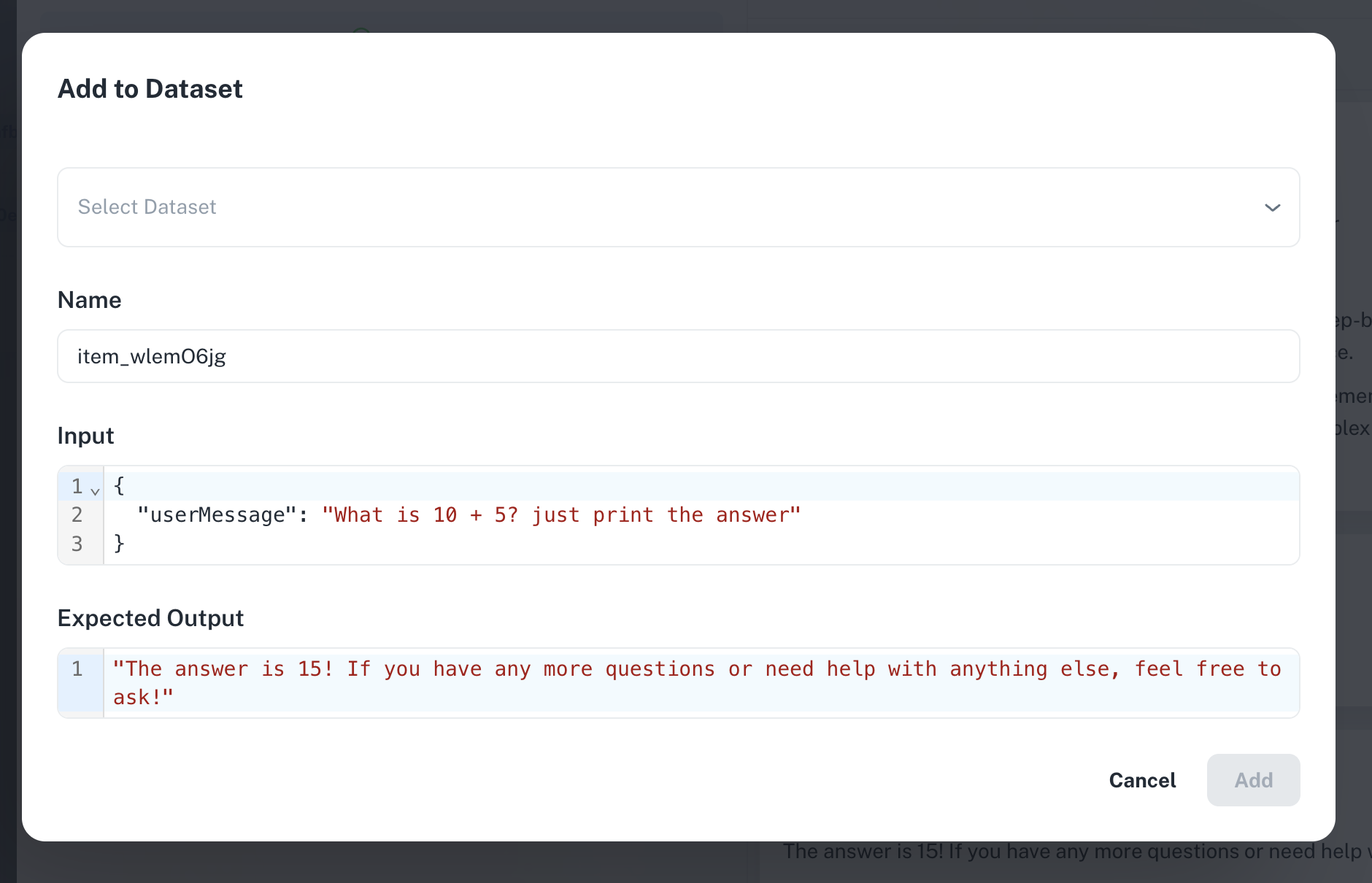
Adding Examples to Prompts
Re-indexing
App UI Improvements
You can now easily view your app’s repo configuration, including repo names, branch, and more.Type Safety
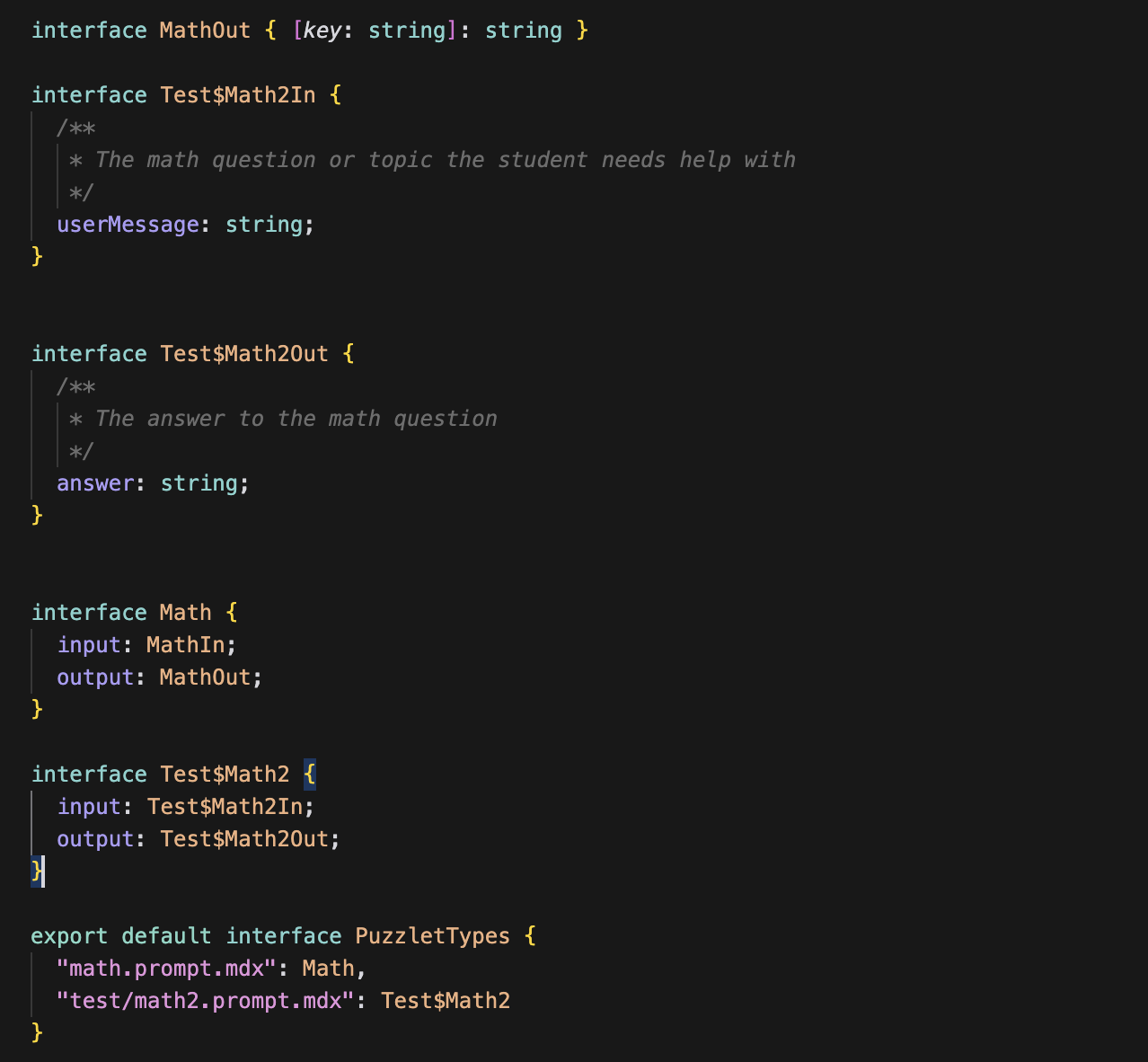
AgentMark aims to provide developers with the best developer experience possible. As part of this, type safety has just been added to the platform.- Types can now be generated via the CLI
- Fetching prompts from the CDN or AgentMark are now type-safe
- Prompts now support run/compile/deserialize functions
Datasets
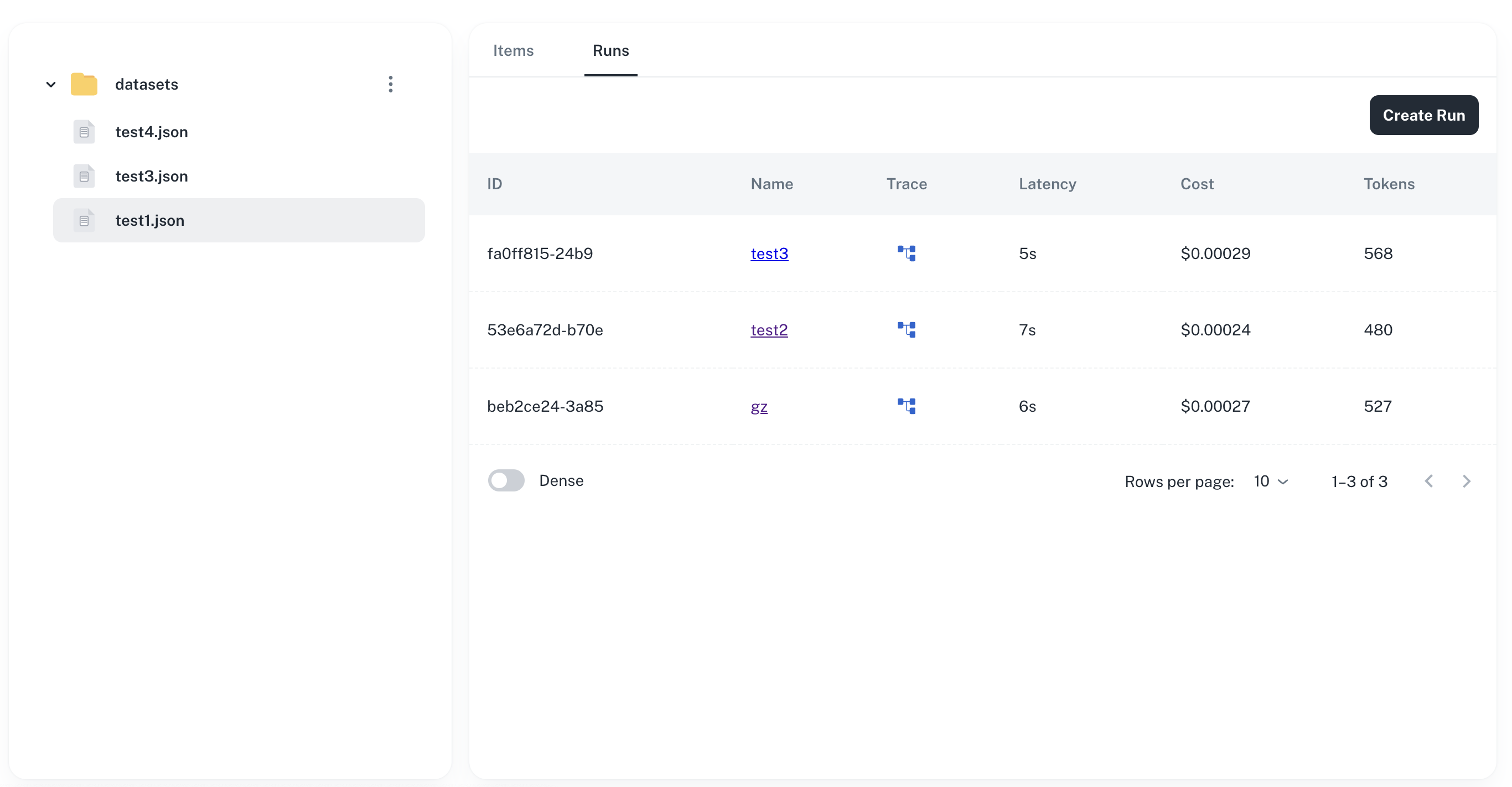
Datasets now allow you to test your prompts in bulk against a large set of data.- Run your datasets in bulk against your prompts
- View previous runs, with inputs/outputs
- View traces associated with each run
- View high-level metrics for each run
Trace Grouping
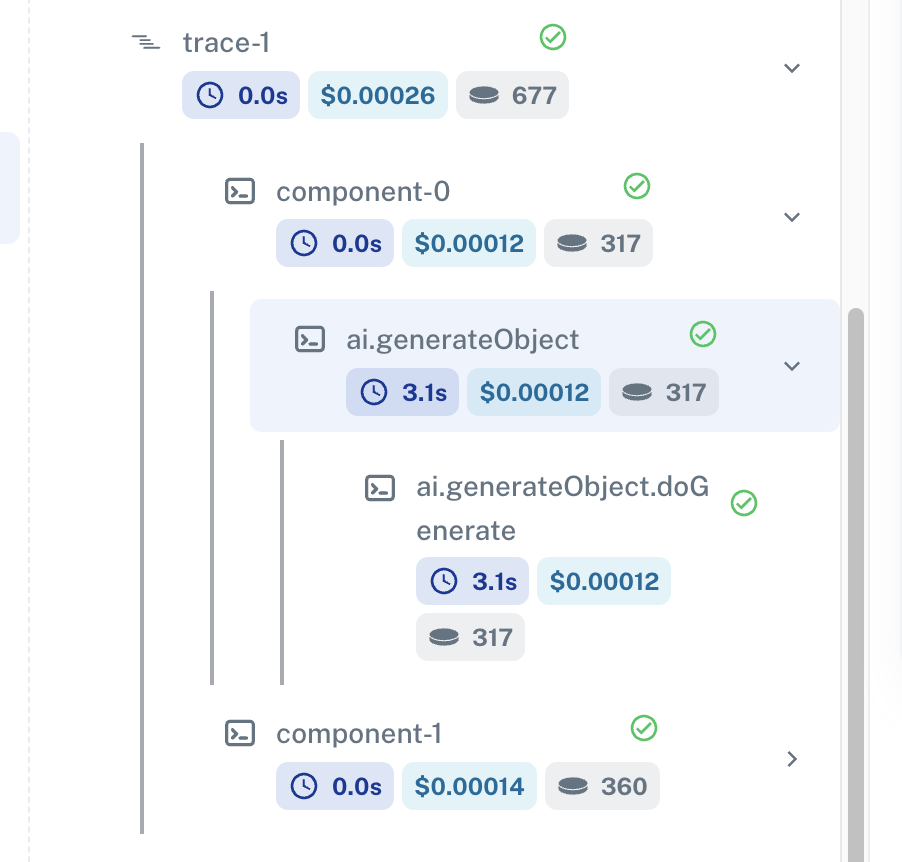
Traces can now be grouped based on the trace function, and the component function. Trace groups together at the root level, while component allows for sub-groups.- New function added:
trace - New function added:
component
CLI Improvements
The CLI has been improved to provide a better developer experience.- AgentMark
initcan optionally create an example app - Added
pull-modelsto walk through adding new models to your platform
Bug Fixes
- Fixed a bug which could cause an app’s templates to be deleted when a new app was created
- Fixed a bug which could cause some branches not to show up in the UI
- Fixed a bug which could prevent newly created local prompts from being synced to the platform
Other
- Improved UI for prompts input/output
- Paginate traces
- Improved UI theme for prompts
Overview

Features
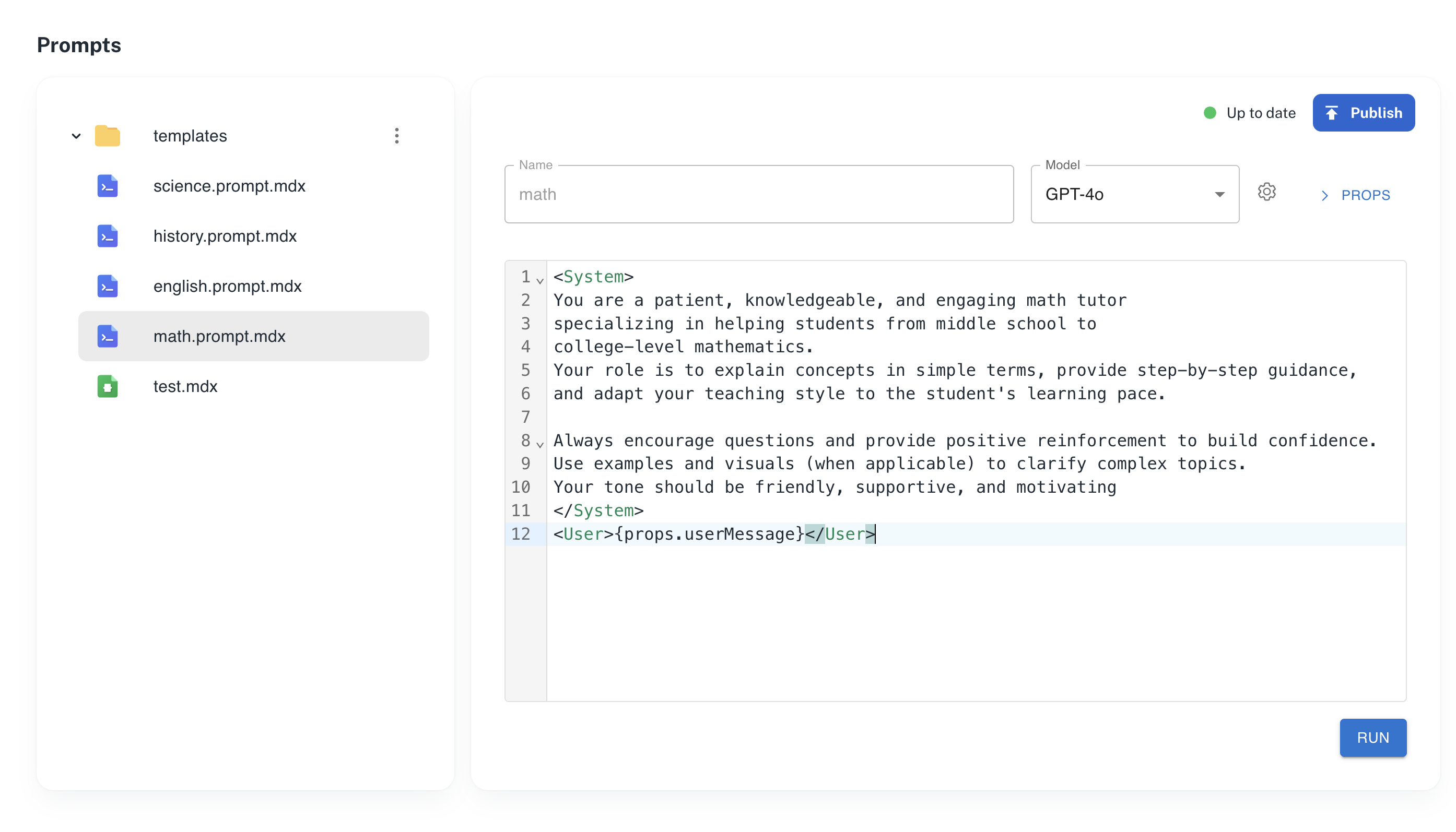
- Prompt Management
- Observability
- Datasets
- CLI
- Platform Management
- Evals
Prompt Management
Observability
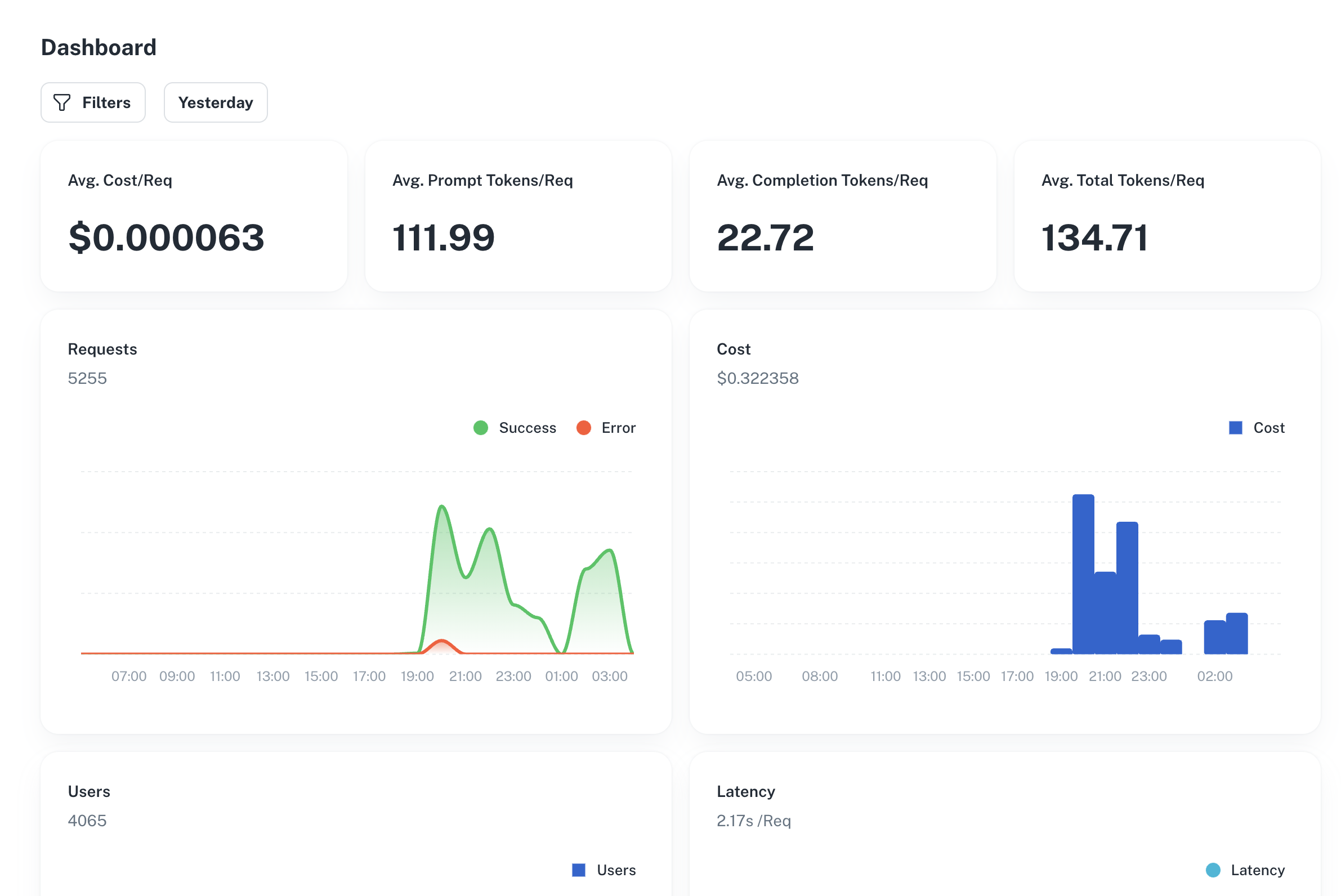
Datasets
Create datasets to easily test your prompts in bulk against a large set of data.Read DocsCLI
AgentMark provides a CLI for initializing your AgentMark app, customizing it, and deploying it to the cloud. Add new models to your platform with just a single command. You can also develop w/ AgentMark locally using the serve command.Platform Management
AgentMark offers an intuitive platform for creating new git-synced apps, adding team members with roles, and setting up API keys for users.AgentMark SDK