

Local vs Cloud. In Local mode your prompts are plain
.prompt.mdx files, so you track versions with your own Git workflow (git log, git diff, git revert). AgentMark Cloud builds the visual commit history, diffs, and one-click rollback described below on top of that same Git branch.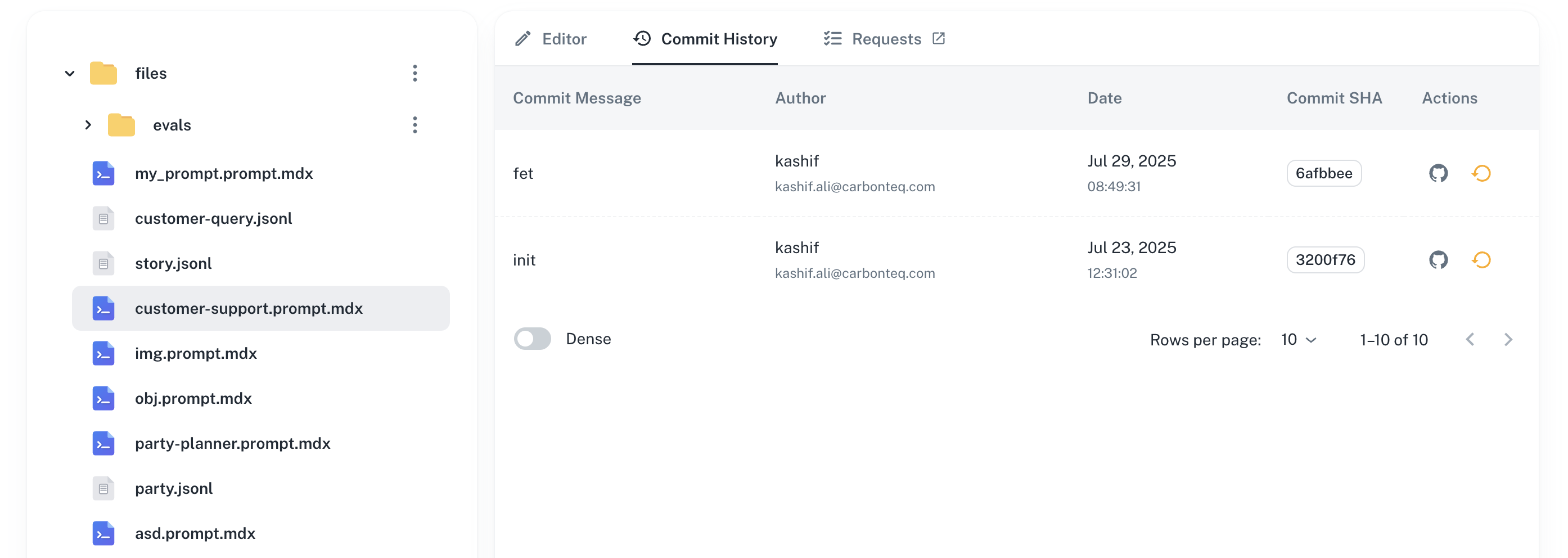
View a commit
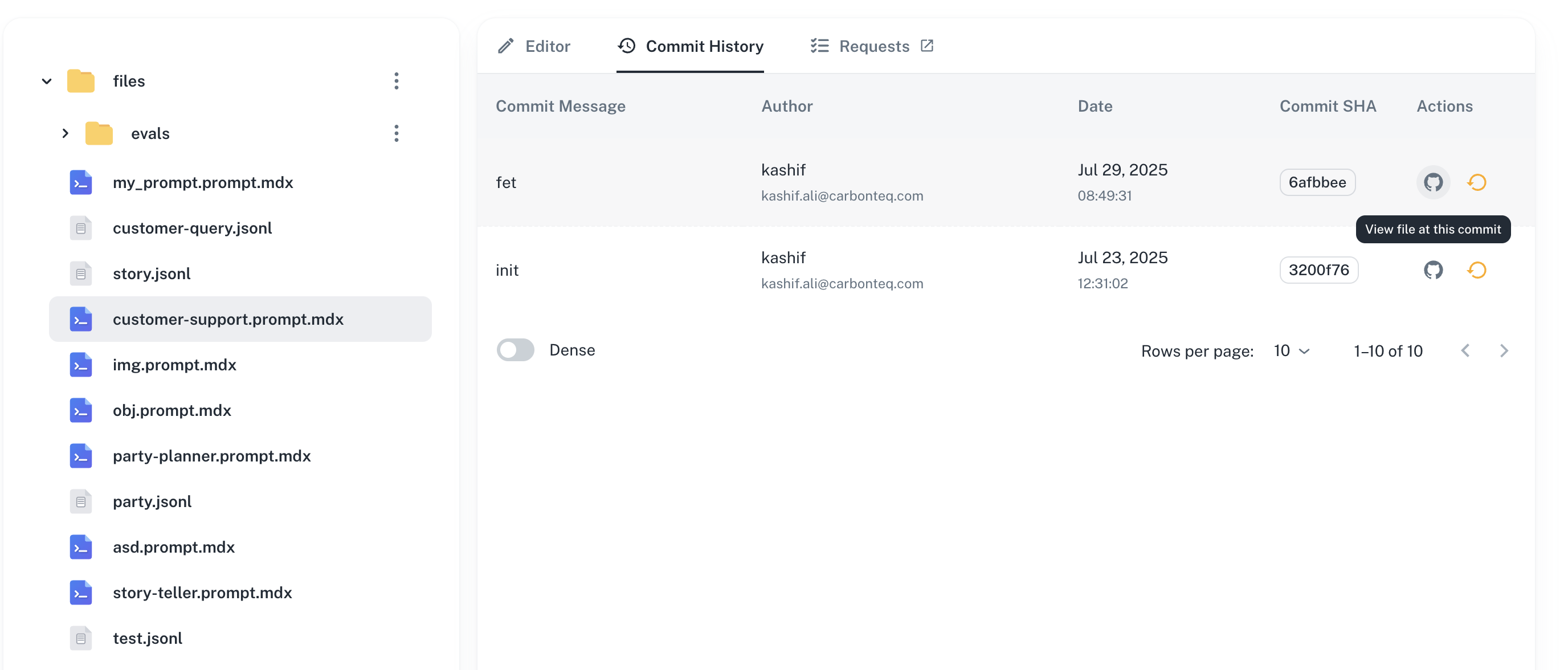
Click any version in the history to view the commit:- Changes made in that version
- Author and timestamp
- Commit message
- Link to the commit in your Git repository
Rollback
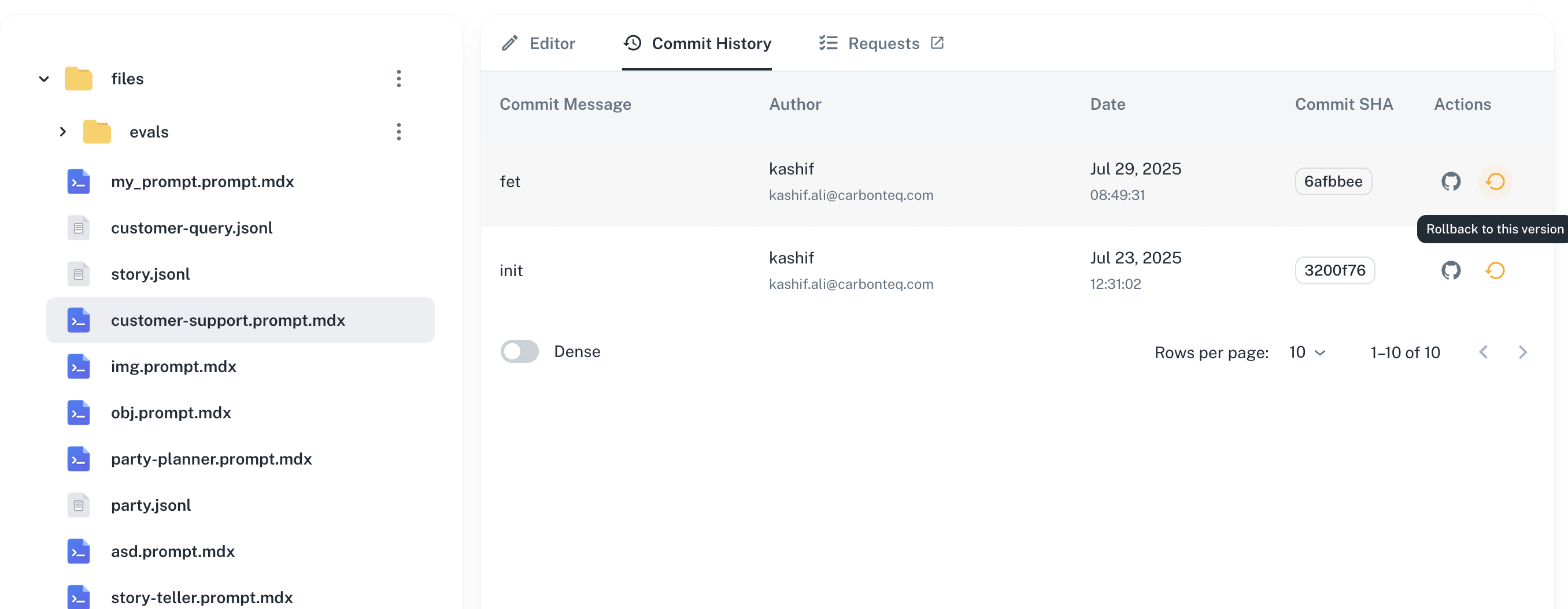
Revert to any previous version of your prompt. Rollback is non-destructive: it creates a new commit that restores the prompt content from the selected version, so your history stays intact.- Open the Commit History tab for the prompt.
- In the row for the target version, click the rollback icon in the Actions column.
- Confirm the rollback in the dialog.
Next steps
Testing with datasets
Validate versions against test data
Running evaluations
Measure quality across versions
Team permissions
Control who can edit and approve changes
Experiments
Compare versions with A/B testing
Have questions?
Reach out any time:
- Email the team at hello@agentmark.co for support
- Schedule an Enterprise Demo to learn about AgentMark’s business solutions