

Cloud feature. Annotations are available in the AgentMark Dashboard.
- Inline annotation: score a single trace directly from the trace drawer
- Annotation queues: batch traces into structured review queues with assignment, progress tracking, and multi-reviewer support
When to use human annotation
Score types
Score configs define what reviewers score on. They’re declared as JSON in youragentmark.json under the top-level scores field. When creating a queue, you select which score configs to include.
The deployment pipeline must sync your score configs to AgentMark Cloud before you can create a queue. Push your changes to the connected branch so the pipeline picks up your
agentmark.json scores. Once synced, score configs are always available in the Dashboard, with no worker dependency required. See Project configuration for the full scores schema and Evaluations for adding automated eval functions.- Boolean (pass/fail): the reviewer clicks Pass or Fail, saved as
1or0. Best for clear-cut criteria. - Numeric (scale): the reviewer enters a value within the config’s
min/maxrange. Best for graded assessments. - Categorical (labels): the reviewer picks one option from a dropdown; each option is a
{label, value}pair, andvalueis the recorded score. Best for classification.
Inline annotation
Add a score to any trace directly from the trace drawer, with no queue required.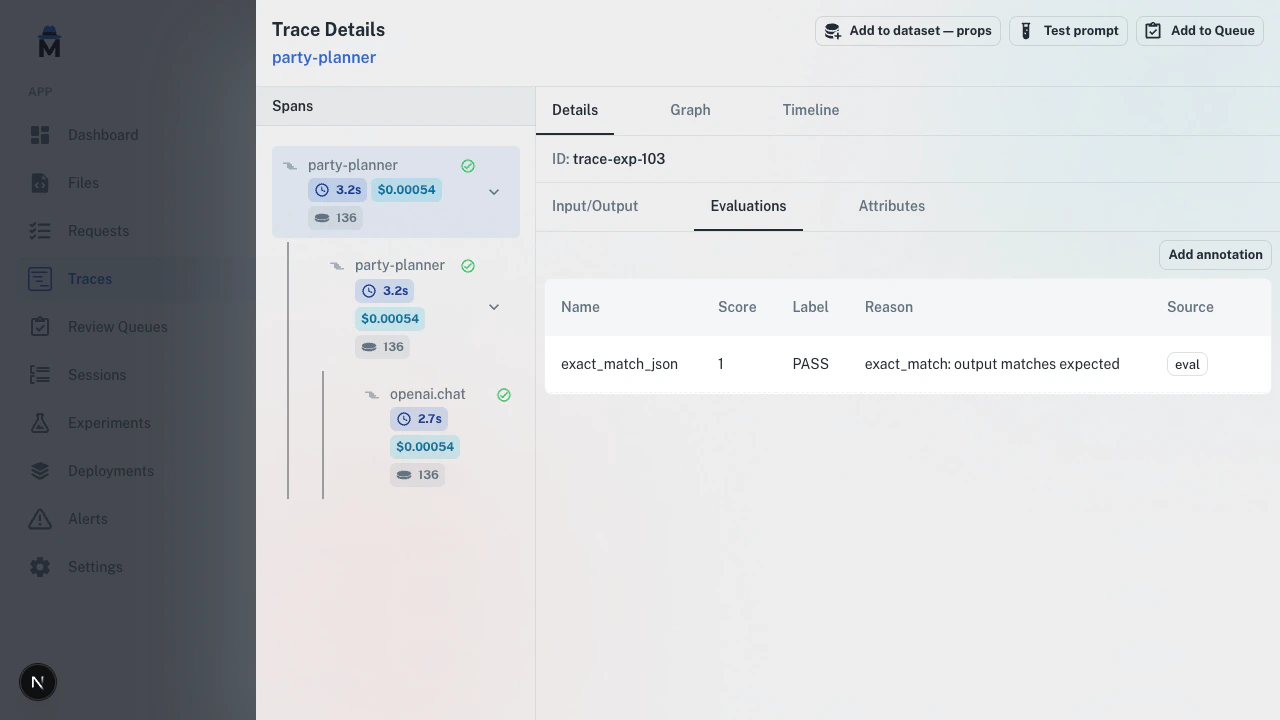
1
Open a trace
Navigate to Traces and click on any trace to open the detail drawer.
2
Select a span
Choose the span you want to annotate from the trace tree.
3
Go to the evaluations tab
Click the Evaluations tab in the drawer.
4
Add annotation
Click Add annotation, fill in the name, label, score, and reason, then click Save.
Annotation queues
For batch review, use annotation queues. Queues let you organize items, assign reviewers, track progress, and require multiple independent reviews.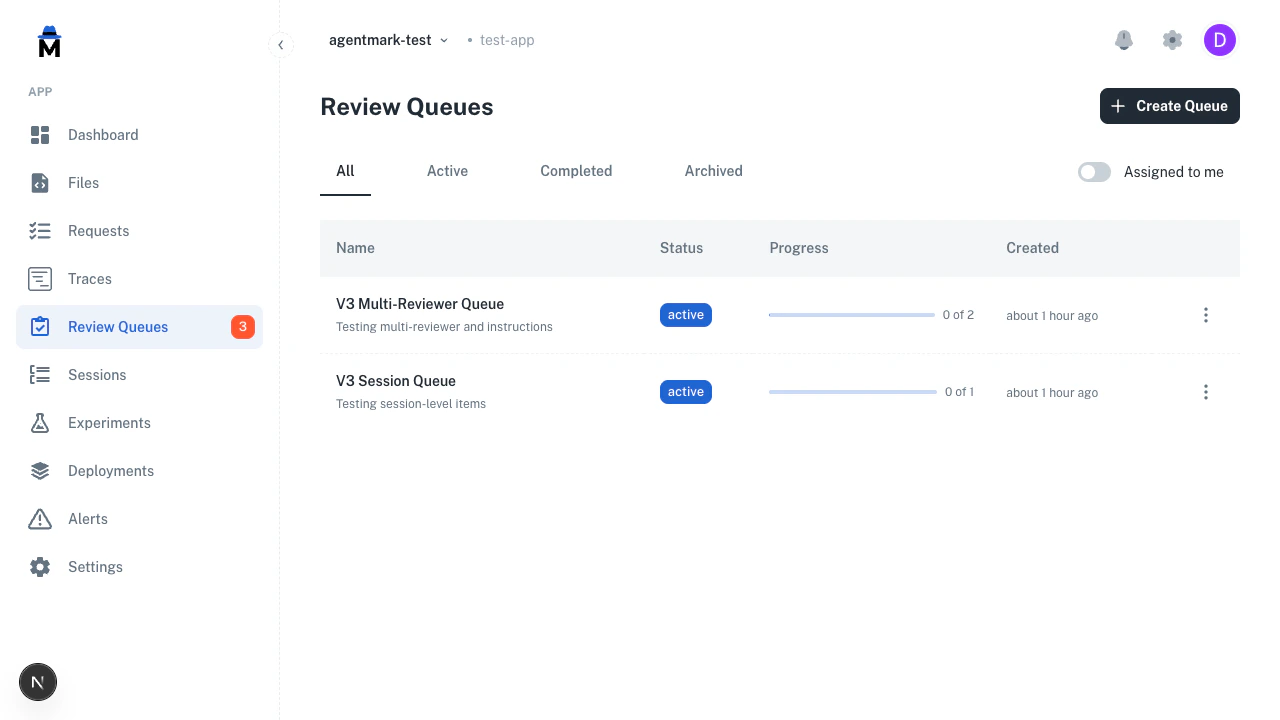
Assigned to me toggle restricts the list to queues with items assigned to you. A sidebar badge surfaces the total number of pending items across all active queues.
Create a queue
Navigate to Review Queues in the sidebar and click Create Queue.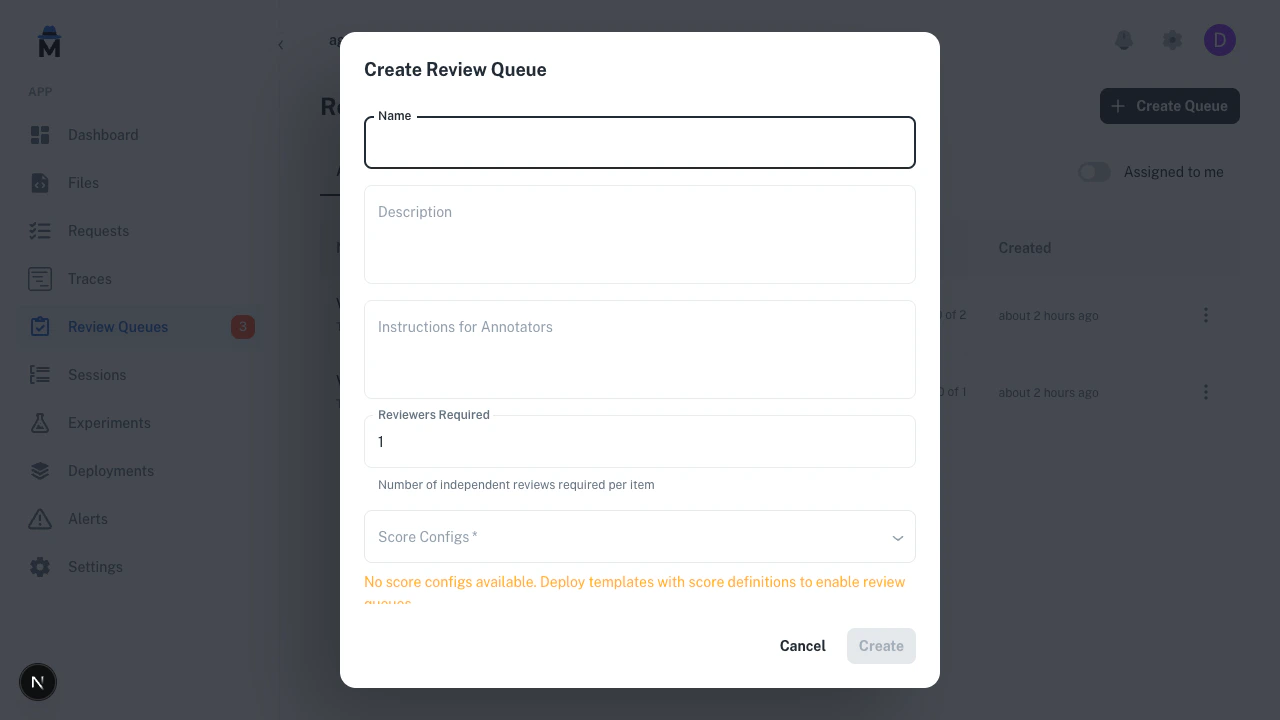
Add items
- Bulk from traces
- Individual spans
- From experiments
1
Select traces
Go to the Traces page and select traces using the checkboxes.
2
Add to queue
Click Add to Queue in the bulk actions bar, choose a queue, and confirm.
Queue detail
Click any queue to see its items, progress, and reviewer assignments.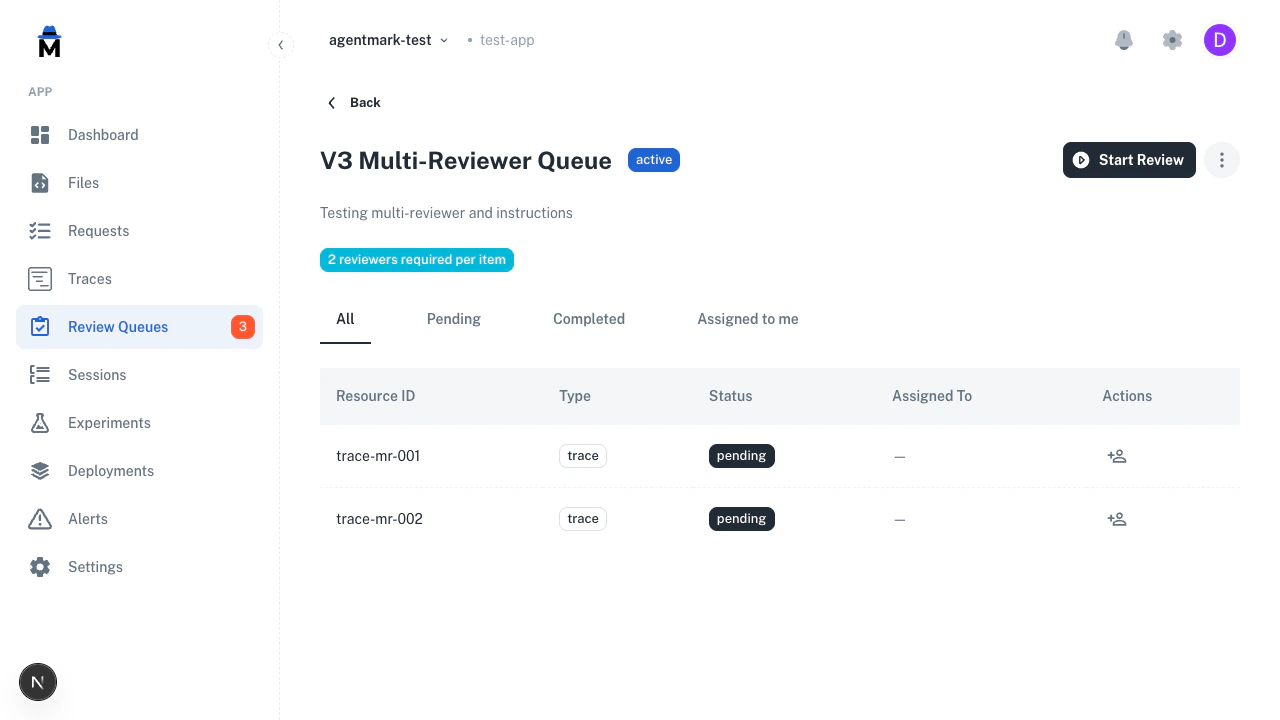
Click the assign icon on any row to assign it to a team member. Use the three-dot menu to archive a queue when review is complete.
Review workflow
Click Start Review to begin. The review view splits into two panels. Left panel (trace content):- Header showing the trace name
- Root span input and output, falling back to trace-level data
- A Spans (N) accordion, collapsed by default; expand it and click any span to see its I/O
- For session items, a conversation timeline showing all turns
- Annotator instructions (collapsible, from queue config)
- Existing annotations: a read-only list of annotation scores already saved on this resource
- Score controls for each configured dimension
- Add to Dataset section with auto-extracted input and an editable expected output
The review footer shows the same hints:
Enter — complete · p/f — pass/fail · 1-9 — category. The review view ignores the letter and digit shortcuts while you’re typing in a text field.
The queue holds dataset items staged through the Add to Dataset section while review is in progress. AgentMark commits them to the target dataset in a single batch once you mark the queue completed, so staged items won’t appear in the dataset until queue completion. This keeps the dataset clean if you pause, abandon, or revert a review.
Multi-reviewer
When you set reviewers required above 1, each reviewer annotates independently:- The review header shows a progress badge (for example, “0/2 reviewed”) tracking how many reviewers have completed their assessment
- Each reviewer fills out their own fresh annotation form. Scores saved by earlier reviewers appear in the read-only Existing annotations list, so reviews are independent but not blind
- The queue marks an item complete only once it collects the required number of independent reviews
- The
/nextendpoint automatically skips items the current reviewer has already reviewed, so each reviewer only sees items they haven’t scored yet
Resource types
Queues support three item types:End-to-end example: dataset curation
A common workflow is using annotation queues to curate high-quality datasets from production traces.1
Create a queue
Create a queue with a boolean score config (for example,
dataset_quality) and set the default dataset to your target dataset.2
Add production traces
Go to Traces, filter to interesting traces (errors, low automated scores, specific prompts), select them, and add to the queue.
3
Review and score
Click Start Review. For each trace, read the I/O, mark Pass or Fail, and optionally edit the input and expected output before staging them for the dataset.
4
Stage for the dataset
In the Add to Dataset section, verify the auto-extracted fields and click Stage for Dataset (the button changes to Staged). The default dataset is pre-selected. The queue holds staged items until you complete it.
5
Complete the queue
Once you have reviewed every item, mark the queue as completed. AgentMark commits all staged dataset items to the target dataset in a single batch at this point.
6
Use in experiments
Run experiments against the curated dataset to validate prompt changes against human-verified examples.
Human annotation vs automated evals
Use both together. They serve different purposes.
Automated evals catch regressions at scale. Human annotations handle the cases machines can’t judge, and they give you the ground truth to calibrate your automated scorers against.
Related
Evaluations
Automate scoring with eval functions
Datasets
Create and manage test datasets
Experiments
Run prompts against datasets to validate quality
Traces
View and explore trace data
Have questions?
Reach out any time:
- Email the team at hello@agentmark.co for support
- Schedule an Enterprise Demo to learn about AgentMark’s business solutions