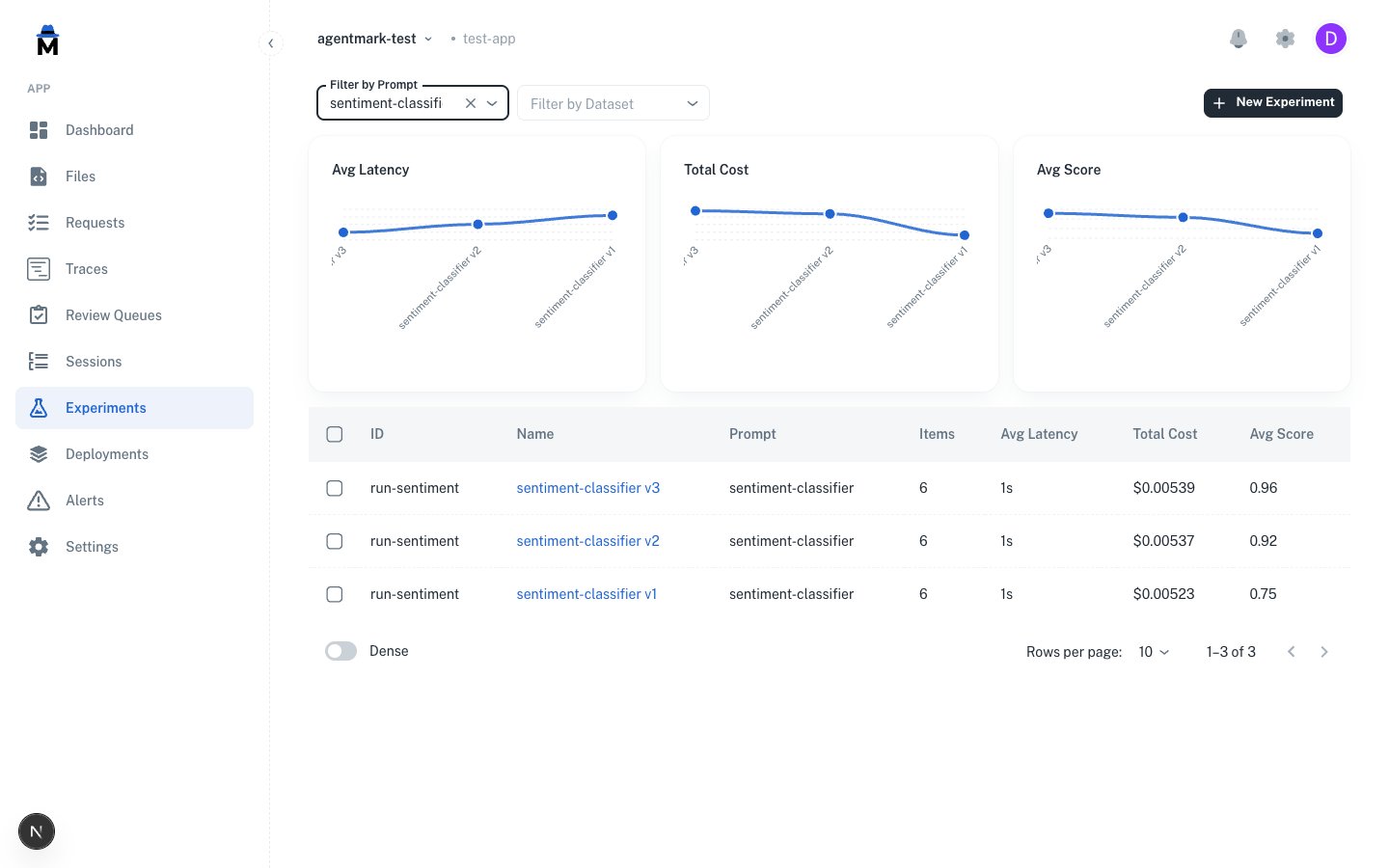
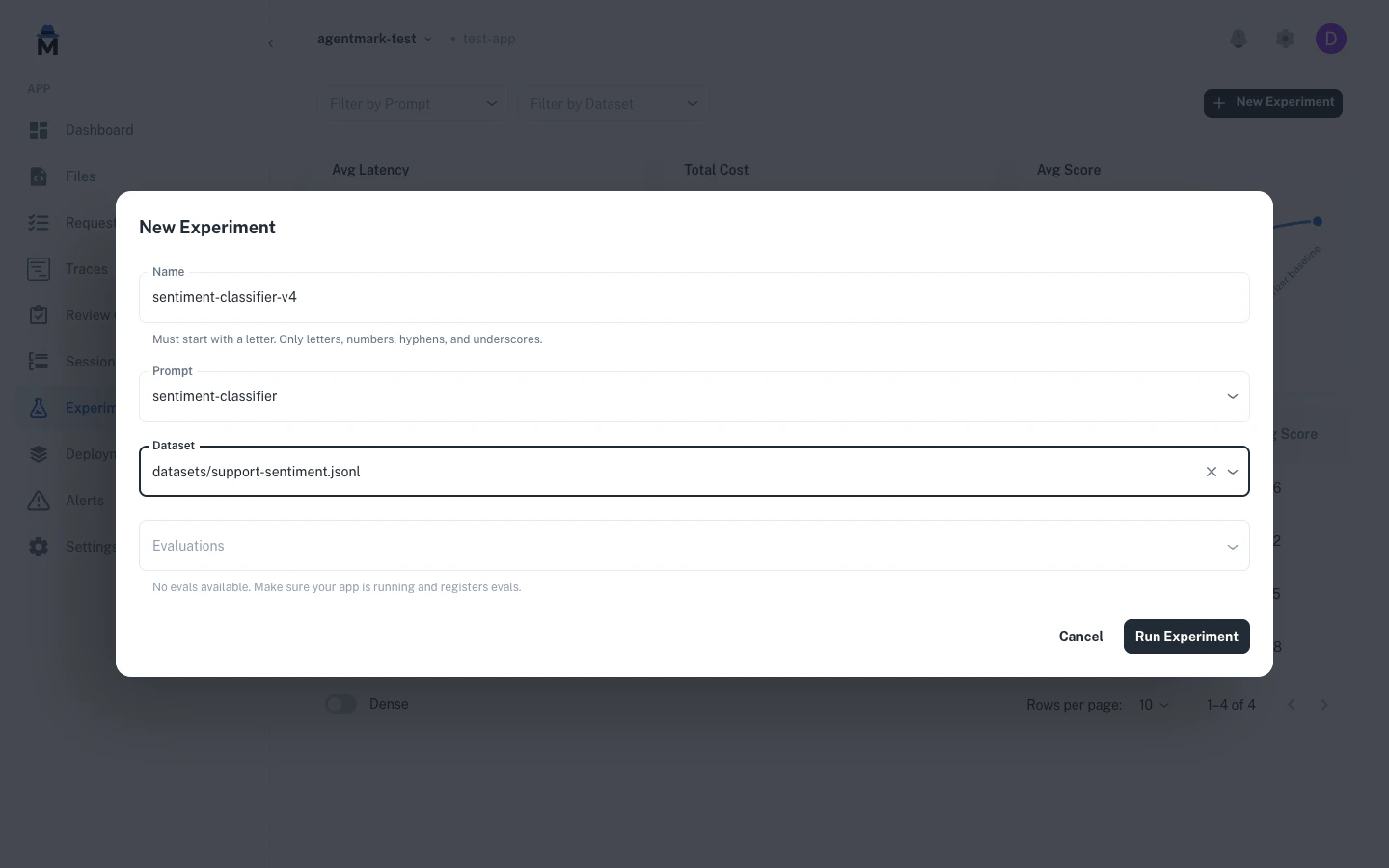
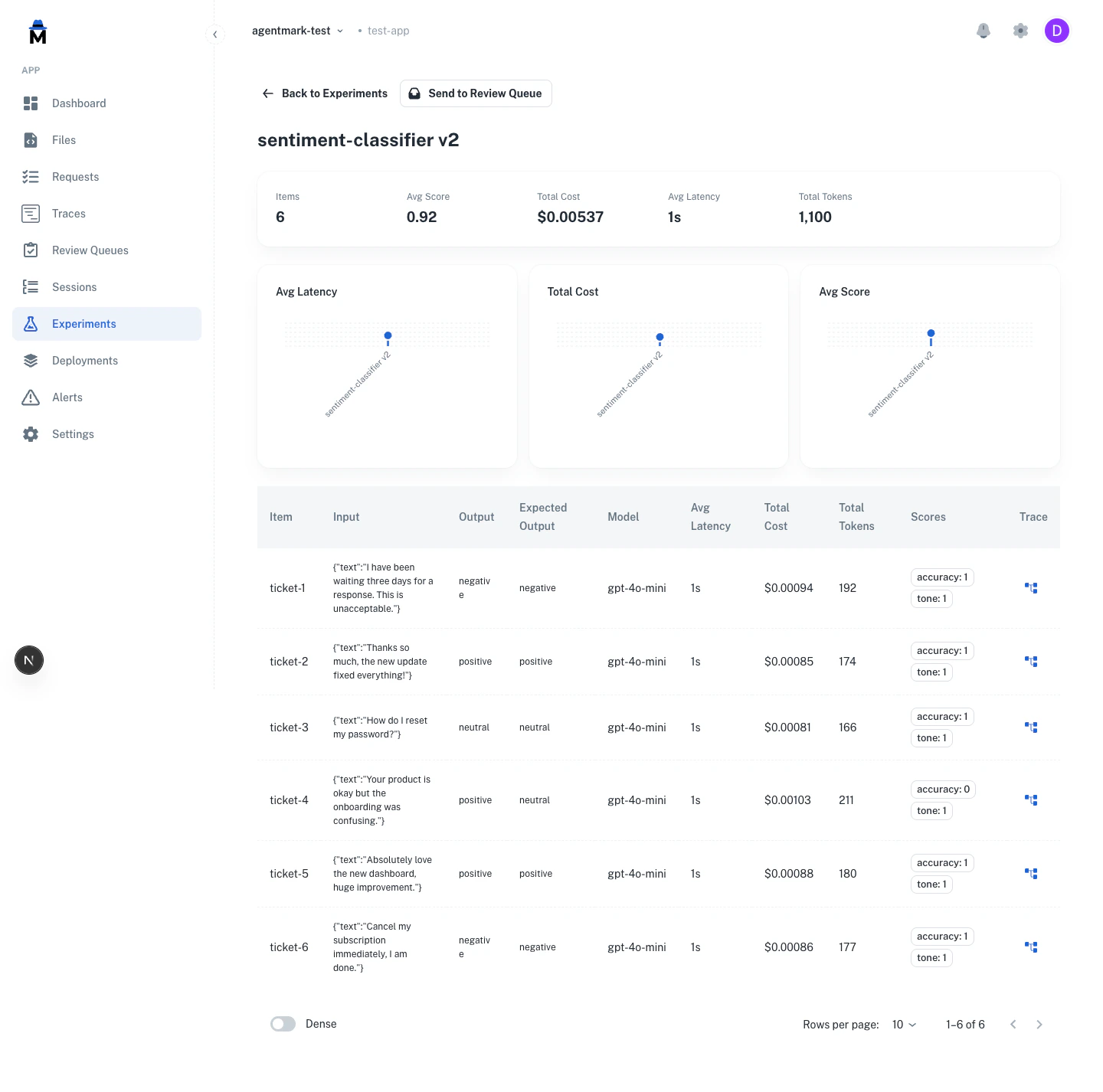
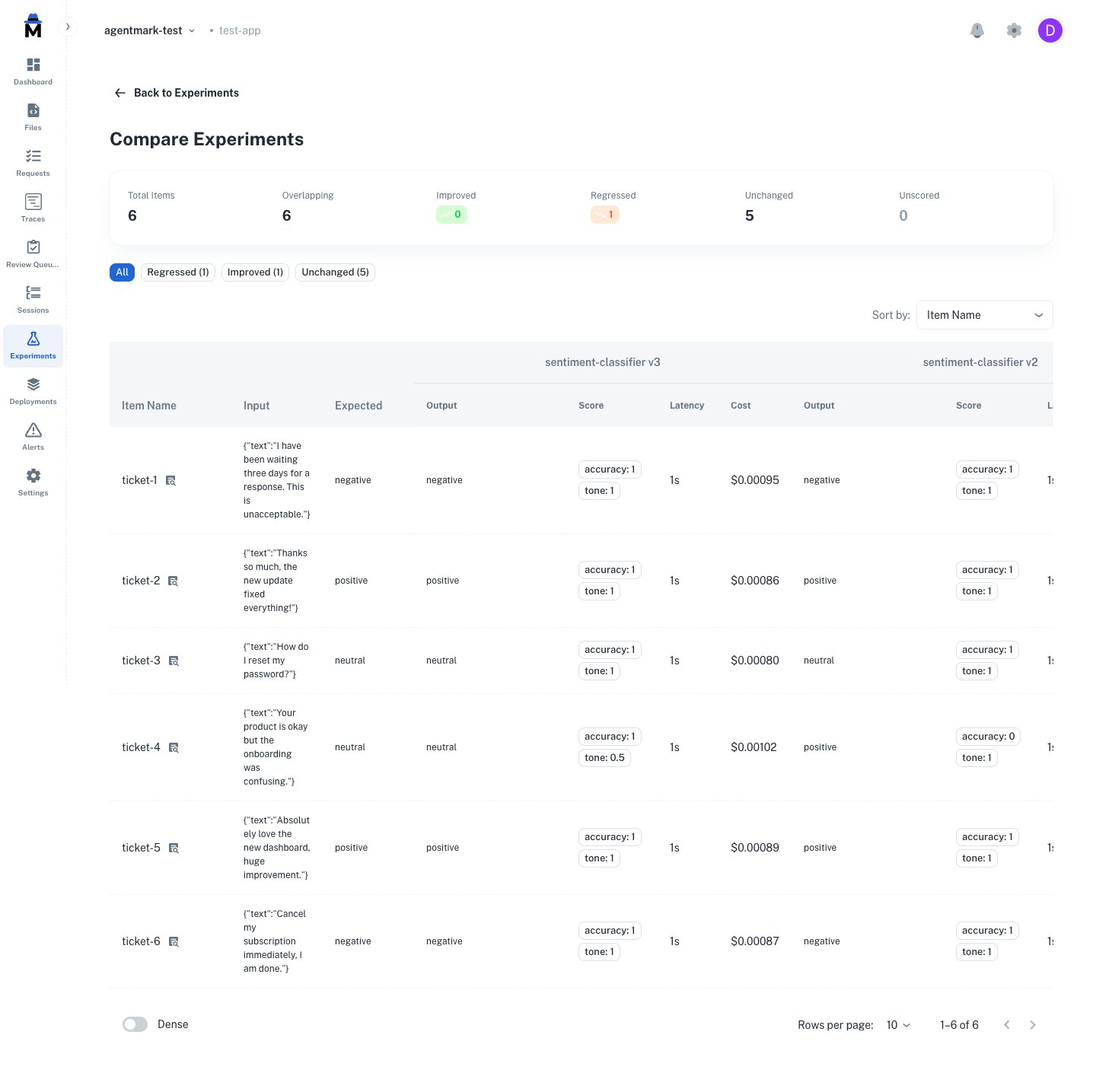
The video shows agentmark run-experiment executing against a dataset: each row is processed, the AI output is scored, and a results table prints to stdout with pass/fail status per evaluator.CLI usage
Quick start
Requirements:
- Dataset configured in prompt frontmatter
- Development server running (
agentmark dev)
- Optional: Evaluation functions defined
Keep agentmark dev running in a separate terminal. The run-experiment command talks to it on port 9417.
http://localhost:3000/experiments (list, detail, and compare views).Full command signature
The --server flag defaults to the AGENTMARK_WEBHOOK_URL environment variable if set, otherwise http://localhost:9417.run-experiment always executes prompts through a webhook server — --server, else AGENTMARK_WEBHOOK_URL, else http://localhost:9417. Locally that’s agentmark dev; in CI you boot one (see CI/CD) or point --server at a running webhook runner. AGENTMARK_API_KEY does not change where execution happens: it only controls where --baseline-commit reads the regression baseline from — AgentMark Cloud when the key is set (durable across CI runs), the local dev server’s store otherwise.Command options
Skip evaluations (output-only mode):Output format:Pass rate threshold (CI/CD):Exits with non-zero code if pass rate falls below the threshold. Requires evaluations that return a passed field.--threshold is an absolute pass-rate gate on a single run. To gate CI on per-case regressions against a baseline, where a PR fails when a case scores worse than it did before, see Regression gates.--format junit emits a JUnit XML document that every major CI system already parses natively: GitHub Actions (via marketplace parsers), GitLab CI (via artifacts.reports.junit), Jenkins, CircleCI, and others. Each (row × scorer) pair becomes one <testcase>; failing scorers emit <failure> with input/actual/expected payload in CDATA.The XML can be combined with --threshold for a suite-level gate on top of the per-row failures already surfaced in the report.Any CI system can run this today: install your project dependencies, boot the dev server headless (agentmark dev --no-ui --no-forward), wait for port 9417, run the command above, and point your CI’s JUnit reporter at results.xml. For complete copy-paste jobs (GitHub Actions and GitLab CI), the packaged integrations, and API-key setup, see CI/CD. To gate per-case regressions from inside your own test suite instead, use the SDK setup in Regression gates.Dataset sampling (see Dataset sampling below):Custom server:Dataset sampling
Run experiments on a subset of your dataset without modifying the dataset file. The three sampling modes are mutually exclusive, so use only one per run.Random sample (--sample <percent>):Run on a random N% of rows. Useful for quick smoke tests against large datasets.Specific rows (--rows <spec>):Select individual rows by zero-based index. Supports comma-separated indices and ranges.Train/test split (--split <spec>):Split the dataset into train and test portions. Run only the train portion or only the test portion.Without --seed, --split uses positional assignment: the first N% of rows are “train” and the rest are “test”. With --seed, each row is assigned to train or test by a deterministic hash, so the order in the file does not matter.
--seed:The --seed flag guarantees the same rows are selected every time, across TypeScript and Python. Pass the same seed to get identical results on any machine or language runtime.Use --seed in CI/CD pipelines to prevent flaky results from random row selection.
Output example
| # | Input | AI Result | Expected Output | sentiment_check |
|---|
| 1 | {"text":"I love it"} | positive | positive | PASS (1.00) |
| 2 | {"text":"Terrible"} | negative | negative | PASS (1.00) |
| 3 | {"text":"It's okay"} | neutral | neutral | PASS (1.00) |
--format output) is the only result. Pass --threshold <0-100> to also print a pass-rate summary and gate the exit code. The pass rate is counted over evaluations (row × evaluator pairs), not rows:If the pass rate falls below the threshold, the CLI prints ❌ Experiment failed threshold check and exits non-zero. Wire that into CI for regression gating.The CLI supports both .mdx source files and pre-built .json files (from agentmark build). Media outputs (images, audio) are saved to .agentmark-outputs/ with clickable file paths.How it works
The run-experiment command:
- Loads your prompt file (
.mdx or pre-built .json) and parses the frontmatter
- Reads the dataset specified in
test_settings.dataset
- Sends the prompt and dataset to the dev server (default:
http://localhost:9417)
- The server runs the prompt against each dataset row
- Evaluates results using the evals specified in
test_settings.evals
- Streams results back to the CLI as they complete
- Displays formatted output (table, CSV, JSON, JSONL, or JUnit XML)
Configuration
Link dataset and evals in prompt frontmatter:The frontmatter also accepts test_settings.props:test_settings.props only feeds the test rendering used by run-prompt. Experiments ignore it: each dataset row’s input is passed to the template as the complete set of props, with no merge against test_settings.props. If a row omits a variable the template references, that row fails with Variable "<name>" is not defined in the scope., so every dataset row must carry complete inputs.Dataset (sentiment.jsonl):Learn more about datasets →Learn more about evals →Workflow
1. Develop prompts - Iterate on your prompt design2. Create datasets - Add test cases covering your scenarios3. Write evaluations - Define success criteria4. Run experiments - Test against dataset5. Review results - Identify failures and patterns6. Iterate - Fix issues, improve prompts, add test cases7. Deploy with confidence - Pass rate meets your thresholdSDK usage
Run experiments programmatically using formatWithDataset():The stream returns objects with:
dataset - The test case (input and expected_output)formatted - The formatted prompt ready for your AI SDKevals - List of evaluation names to runtype - Always "dataset"
Options (FormatWithDatasetOptions):
datasetPath?: string - Override dataset from frontmatterformat?: 'ndjson' | 'json' - Buffer all rows ('json') or stream as available ('ndjson', default)sampling?: SamplingOptions - Run on a subset of dataset rows. Mirrors the CLI --sample/--rows/--split/--seed flags: { sample?: number; rows?: number[]; split?: { portion: 'train' | 'test'; percentage: number }; seed?: number } (the three modes are mutually exclusive)
When to use:
- Custom test logic in your test framework
- Fine-grained control over test execution
- Integrating with existing test infrastructure
- Running experiments in application code
Troubleshooting
CLI issues
Dataset not found:
- Check dataset path in frontmatter
- Verify file exists and is valid JSONL
Server connection error:
- Ensure
agentmark dev is running
- Check ports are available (default webhook port: 9417)
- Verify
--server URL if using a custom server
Invalid dataset format:
- Each line must be valid JSON
- Required:
input field
- Optional:
expected_output field
No evaluations ran:
- Add
evals to test_settings in frontmatter
- Or use
--skip-eval flag for output-only mode
Threshold check failed:
- The
--threshold flag requires evals that return a passed field
- Verify your eval functions return
{ passed: true/false, ... }
Sampling options conflict:
- Only one of
--sample, --rows, or --split may be used at a time
--seed can be combined with any of them
Programmatic access
You can query experiment results, run traces, and prompt file listings through the REST API, or from an IDE agent via the agentmark-mcp MCP server. Use either to build custom reporting, export results to external tools, or integrate experiment data into CI/CD pipelines.experiments ships on Cloud + Local. prompts is Local-only today; Cloud returns 501 not_available_on_cloud. Use /v1/traces?dataset_run_id=… to list traces for a run. Call GET /v1/capabilities to check which features a server supports at runtime.