

- Docs MCP (
agentmark-docs): a remote server that teaches your editor how to author AgentMark files - Trace server (
@agentmark-ai/mcp-server,npxbinaryagentmark-mcp): connects to your gateway (local or Cloud) so your editor can query and debug live data
npm create agentmark@latest wires both into the editors you select.
Docs MCP: author files from your editor
The docs MCP (agentmark-docs) lets your editor’s AI query AgentMark documentation, so it can create and update .prompt.mdx files, datasets, and config directly from your AI chat interface.
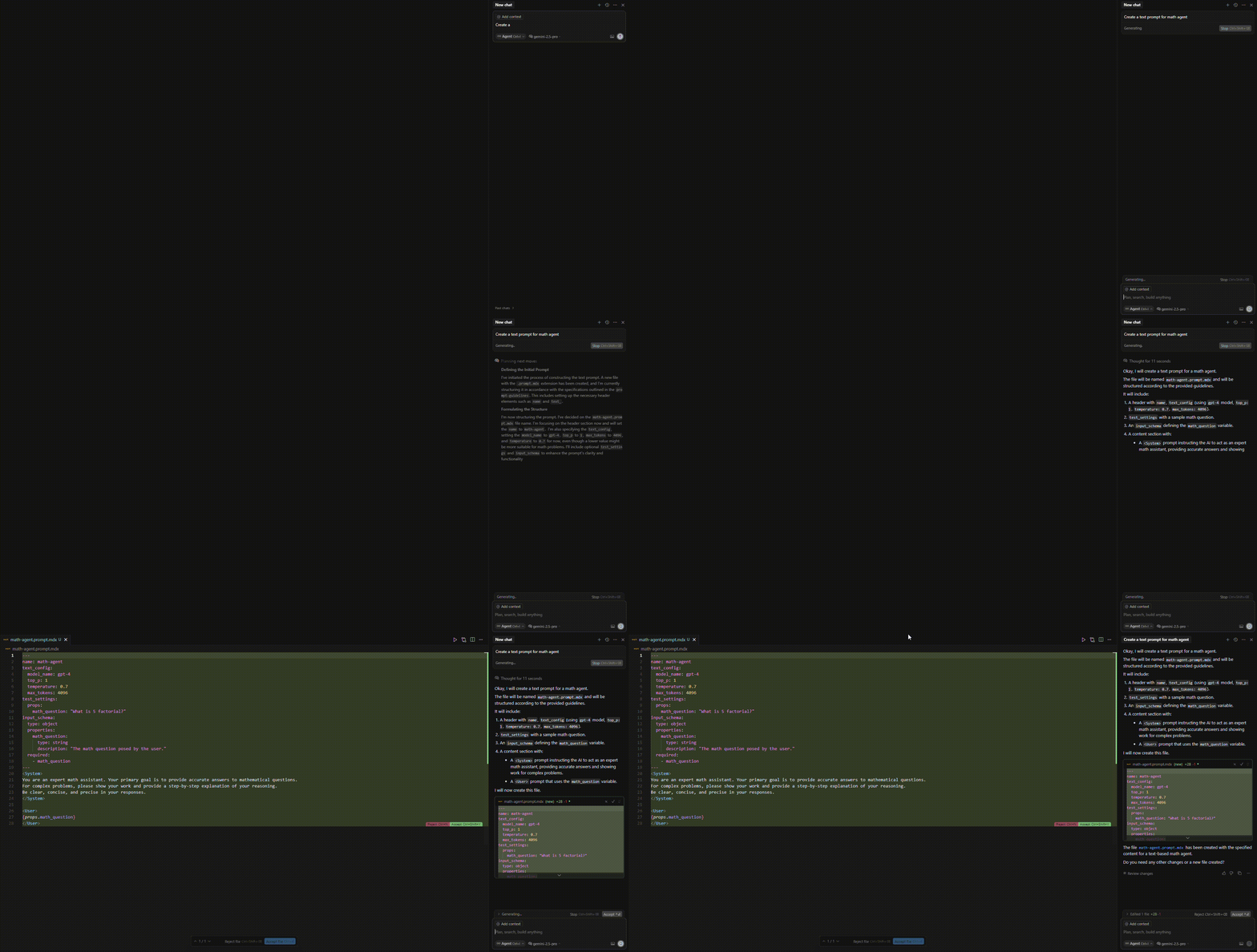
.prompt.mdx file using patterns it pulled from the docs MCP.
Manual setup
Add the following configuration to your AI code editor settings:Trace server: query traces and data
The@agentmark-ai/mcp-server package exposes the AgentMark gateway to your editor. Point it at your local agentmark dev server or at AgentMark Cloud, and your AI assistant can list traces, drill into spans, check capabilities, write scores, and call any other gateway operation without leaving your editor.
How tools are generated
The server does not ship a fixed, hand-written tool list. On startup it reads the gateway’s OpenAPI contract from/v1/openapi.json and registers one MCP tool per (non-deprecated) endpoint. The tool name is the operation’s operationId in snake_case, and each tool’s input is the endpoint’s path + query + body parameters flattened into a single object.
Both the local dev server and the Cloud gateway serve the same OpenAPI contract, so the same tools are available against either; only the configured URL differs.
Representative tools (the exact set tracks the gateway’s current API):
| Tool | Backing endpoint |
|---|---|
list_traces | GET /v1/traces |
get_trace | GET /v1/traces/{traceId} |
list_spans | GET /v1/spans |
get_capabilities | GET /v1/capabilities |
list_sessions | GET /v1/sessions |
create_score | POST /v1/scores |
Configuration
The server talks to exactly one URL. Set it withAGENTMARK_API_URL.
| Variable | Default | Description |
|---|---|---|
AGENTMARK_API_URL | https://api.agentmark.co | Gateway URL; set to http://localhost:9418 for the local dev server |
AGENTMARK_API_KEY | – | API key for authentication (required for Cloud; local dev is unauthenticated) |
AGENTMARK_TIMEOUT_MS | 30000 | Per-request timeout in milliseconds |
Editor setup
Run the server withnpx; there’s nothing to install. npm create agentmark@latest wires this up for you (as the agentmark and agentmark-local entries); the configs below are the manual equivalent.
- Local dev server
- AgentMark Cloud
Point at your running
agentmark dev server. Add to .mcp.json (Claude Code), .cursor/mcp.json (Cursor), or your editor’s MCP config:Querying traces
A typical debugging flow: ask your assistant to list recent traces, then drill into one.list_tracesaccepts the same query parameters asGET /v1/traces:limit,offset,status,user_id,model,session_id,dataset_run_id,name,tag, and date filters. Pagination is offset-based.get_tracetakes thetraceIdpath parameter plus an optionalfieldsquery value (e.g.fields=graph) and returns the trace with its spans.
Error handling
Tool calls that fail return an MCP error result ({ isError: true, content: [{ type: "text", text: "..." }] }) with the underlying HTTP status or message in the text. There is no separate error-code enum to handle.
Requirements
For local debugging:- Run
npx agentmark devto start the local dev server (API on port9418). - Execute prompts to generate traces.
- Ask your AI editor to query and debug them via the
agentmark-localtools.
Programmatic usage
You can run the server from code:Related documentation
MCP tools in prompts
Use MCP tools directly within your AgentMark prompts
Tracing setup
Instrument your app to produce the traces these tools query
API reference
Every gateway operation, one per MCP tool
Have Questions?
We’re here to help! Choose the best way to reach us:
- Email us at hello@agentmark.co for support
- Schedule an Enterprise Demo to learn about our business solutions